
10 Best 2D Animation Programs in 2026 (Free and Paid Software)
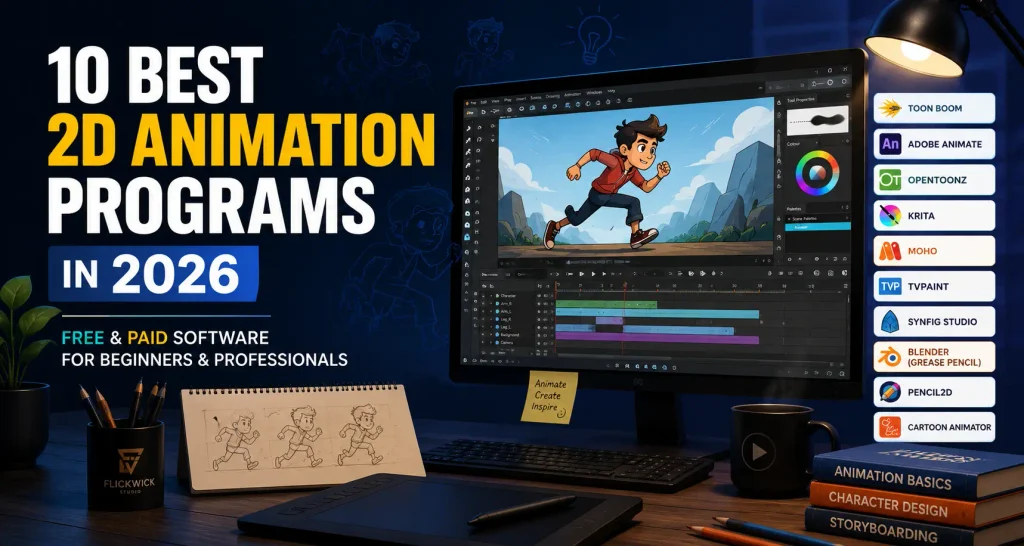
Creating an animated video starts with an idea, but bringing that idea to life requires the right tools. Whether you want to create animated characters, produce educational videos, develop cartoons, or build professional marketing animations, choosing the right software can make your creative process much easier.
Today, there are numerous 2D animation programs available for different skill levels and production requirements. Some are designed for beginners who want to learn traditional animation, while others offer advanced drawing tools, character rigging, compositing, and professional production workflows.
However, not every animation program is suitable for every project.
A beginner might prefer simple software with an easy-to-understand interface, whereas a professional animator may need advanced tools for complex character movements and detailed scenes.
In this guide, we’ll explore 10 popular 2D animation programs, compare their features, discuss their advantages, and explain which tools are worth considering for different creative workflows.
What Are 2D Animation Programs?
2D animation programs are software applications that allow artists and animators to create movement using two-dimensional artwork.
They provide tools for drawing, editing, arranging, and animating characters, backgrounds, objects, and graphic elements.
Depending on the software, animation can be created by drawing individual frames, moving objects between keyframes, or using character rigs that control different body parts.
These programs are commonly used to create:
- Animated cartoons and short films.
- Explainer videos.
- Educational animations.
- Character animations.
- Motion graphics.
- Marketing and promotional videos.
- Animated advertisements.
- Social media content.
- Training and instructional videos.
The right software depends on the type of animation you want to produce, your experience, and the complexity of your project.
10 Best 2D Animation Programs to Consider
Here are 10 popular animation tools worth exploring, ranging from free beginner-friendly applications to advanced professional software.
1. Toon Boom Harmony
Best for: Professional animation studios and advanced character animation.
Toon Boom Harmony is one of the most comprehensive tools available for professional 2D animation production.
It offers drawing, painting, traditional frame-by-frame animation, character rigging, compositing, and special effects within a single production environment.
One of its major strengths is its ability to support different animation workflows. Artists can create traditional hand-drawn animations or use reusable character rigs to animate complex movements.
Key features:
- Traditional frame-by-frame animation.
- Advanced character rigging.
- Drawing and painting tools.
- Camera and scene management.
- Compositing and visual effects.
- Professional production workflows.
Advantages:
- Extensive professional animation capabilities.
- Supports multiple animation techniques.
- Suitable for complex character production.
- Offers tools for larger production pipelines.
Limitations:
- Requires time to learn.
- Paid software with different editions.
- Can be more complicated than necessary for simple projects.
Toon Boom Harmony is worth considering if you’re pursuing professional animation production and need a comprehensive set of tools.
2. Adobe Animate
Best for: Vector animation and interactive animated content.
Adobe Animate is a vector-based animation application that has been used for creating animated graphics, character sequences, interactive content, and web-oriented animations.
It provides a timeline-based workflow that allows artists to organise objects, create keyframes, and control movement.
Its drawing and animation tools can be useful for projects involving illustrated characters, animated typography, and interactive graphics.
Key features:
- Vector-based drawing.
- Timeline animation.
- Keyframe-based movement.
- Character animation.
- Interactive animation workflows.
- Integration with other Adobe creative tools.
Advantages:
- Familiar timeline-based workflow.
- Useful for vector animation.
- Suitable for interactive projects.
- Works well for certain graphic animation requirements.
Limitations:
- Subscription-based licensing.
- Not ideal for every traditional hand-drawn workflow.
- Beginners may need time to understand its animation timeline.
Important: Adobe announced changes to Animate sales and support in 2026. Check Adobe’s current availability and support information before choosing it for a new long-term production workflow.
3. OpenToonz
Best for: Traditional animation and free professional-style workflows.
OpenToonz is a free, open-source 2D animation program designed for artists who want to explore more advanced animation techniques without purchasing expensive software.
It provides tools for traditional drawing, frame-by-frame animation, compositing, and scene management.
The software is particularly interesting for artists who want to experiment with hand-drawn animation and develop more detailed animation projects.
Key features:
- Frame-by-frame animation.
- Digital drawing tools.
- Timeline and exposure sheet workflows.
- Scene management.
- Compositing capabilities.
- Open-source development.
Advantages:
- Free to use.
- Offers advanced animation functionality.
- Suitable for traditional animation workflows.
- No standard paid subscription required.
Limitations:
- Interface can be challenging for beginners.
- Learning its production workflow takes time.
- Some features may require additional practice.
OpenToonz is a strong option for people who want to explore traditional animation without immediately investing in premium software.
4. Krita
Best for: Digital artists and beginners interested in hand-drawn animation.
Krita is widely known as a digital painting application, but it also includes animation functionality.
Artists can use its drawing environment to create frame-by-frame animations using layers, timeline controls, and onion skinning.
Its painting tools make it particularly attractive to illustrators who want to experiment with animation using familiar digital art techniques.
Key features:
- Digital painting and illustration.
- Frame-by-frame animation.
- Onion skinning.
- Layer management.
- Brush customisation.
- Animation timeline.
Advantages:
- Free and open source.
- Excellent painting environment.
- Useful for hand-drawn animation.
- Suitable for artists who already work digitally.
Limitations:
- Not designed as a complete studio production pipeline.
- Complex animation projects may require additional tools.
- Exporting and managing longer sequences can require extra workflow planning.
If you enjoy drawing and want to experiment with animation, Krita is an excellent starting point.
5. Pencil2D
Best for: Beginners learning traditional 2D animation.
Pencil2D is a lightweight, free animation program designed around a relatively simple frame-by-frame workflow.
Its straightforward interface makes it easier for beginners to understand the basic principles of animation without being overwhelmed by advanced production features.
You can create drawings, arrange frames, and develop simple animated sequences.
Key features:
- Bitmap and vector drawing.
- Frame-by-frame animation.
- Onion skinning.
- Timeline controls.
- Lightweight interface.
- Basic animation export.
Advantages:
- Free and open source.
- Beginner-friendly.
- Easy to experiment with.
- Suitable for learning animation fundamentals.
Limitations:
- Limited advanced character rigging.
- Not intended for complex studio pipelines.
- Fewer advanced production features than premium alternatives.
Pencil2D is particularly useful if you’re completely new to animation and want to understand how individual drawings create movement.
6. Moho
Best for: Character rigging and cut-out animation.
Moho is a specialised 2D animation application with a strong focus on character animation.
Instead of drawing every movement manually, artists can build character rigs using bones, deformers, and other animation controls.
This makes it possible to reuse characters and animate them through controlled movements.
Moho can be useful for independent animators, small production teams, and creators who regularly produce character-driven content.
Key features:
- Bone-based character rigging.
- Character deformation tools.
- Vector drawing.
- Keyframe animation.
- Lip-sync functionality.
- Reusable character rigs.
Advantages:
- Strong character animation workflow.
- Useful for recurring characters.
- Supports efficient cut-out animation.
- Suitable for independent production.
Limitations:
- Paid software.
- Requires understanding of character rigging.
- Less suited to artists who exclusively prefer traditional hand-drawn animation.
Moho is worth exploring if your projects involve recurring characters and reusable animation assets.
7. TVPaint Animation
Best for: Professional hand-drawn and frame-by-frame animation.
TVPaint Animation is a specialised application focused on traditional-looking digital animation.
Its bitmap-based drawing environment provides artists with tools for creating detailed hand-drawn sequences.
Rather than relying primarily on automated character rigs, it allows animators to work directly with individual drawings and frames.
Key features:
- Frame-by-frame animation.
- Bitmap drawing and painting.
- Customisable brushes.
- Onion skinning.
- Timeline and exposure sheet tools.
- Professional animation workflow.
Advantages:
- Excellent for hand-drawn animation.
- Strong drawing and painting capabilities.
- Offers detailed frame-level control.
- Suitable for expressive animation styles.
Limitations:
- Paid software.
- Can require significant drawing experience.
- Not the simplest option for beginners.
TVPaint is particularly relevant for artists who prefer the creative freedom of traditional frame-by-frame animation.
8. Synfig Studio
Best for: Free vector-based animation.
Synfig Studio is a free, open-source 2D animation application that focuses on vector-based animation and automated movement between keyframes.
Instead of manually drawing every frame, artists can animate shapes and objects by defining their positions and properties at different points in time.
The software calculates the intermediate movement, which can help streamline certain animation tasks.
Key features:
- Vector-based animation.
- Keyframe interpolation.
- Layer-based composition.
- Character animation tools.
- Bone-based animation.
- Timeline controls.
Advantages:
- Free and open source.
- Useful for vector animation.
- Reduces the need to draw every frame.
- Suitable for certain motion-based projects.
Limitations:
- Learning curve for new users.
- Interface may take time to understand.
- Not as straightforward as simpler beginner applications.
Synfig Studio is worth considering if you want to create vector animations without investing in paid software.
9. Blender Grease Pencil
Best for: Combining 2D drawings with 3D environments.
Blender is primarily known as a 3D creation application, but its Grease Pencil tools also support 2D drawing and animation within a three-dimensional environment.
This creates opportunities to combine hand-drawn artwork with 3D cameras, lighting, environments, and objects.
For example, an animator can create a 2D character and place it within a dimensional scene.
Key features:
- 2D drawing and animation.
- Integration with 3D environments.
- Camera movement.
- Layer-based drawing.
- Compositing.
- 2D and 3D hybrid workflows.
Advantages:
- Free and open source.
- Offers creative flexibility.
- Supports hybrid animation techniques.
- Provides access to Blender’s wider toolset.
Limitations:
- More complicated than dedicated beginner 2D programs.
- Requires learning Blender’s interface.
- May be unnecessary for simple traditional animation.
Blender Grease Pencil is an interesting choice for artists who want to experiment with unconventional visual styles.
10. Cartoon Animator
Best for: Fast character animation and reusable animated characters.
Cartoon Animator is designed to simplify character animation through reusable assets, character rigs, and automated movement controls.
It can be useful for creators who want to animate illustrated characters without manually drawing every frame.
Its tools are particularly relevant for presenter-style characters, educational content, and recurring animated personalities.
Key features:
- 2D character rigging.
- Reusable animation assets.
- Facial animation.
- Lip-sync tools.
- Motion controls.
- Character-based animation workflows.
Advantages:
- Helps streamline character animation.
- Useful for reusable characters.
- Supports facial animation.
- Suitable for certain educational and promotional videos.
Limitations:
- Paid software.
- Some assets and additional content may involve extra costs.
- Results can feel template-driven without thoughtful customisation.
Cartoon Animator is worth considering when character animation speed and reusable assets are important.
Comparison of the Best 2D Animation Programs
Choosing between different animation applications becomes easier when you compare their intended workflows.
| Software | Best for | Pricing model |
|---|---|---|
| Toon Boom Harmony | Professional production | Paid |
| Adobe Animate | Vector and interactive animation | Paid / availability changes |
| OpenToonz | Traditional animation | Free |
| Krita | Digital painting and animation | Free |
| Pencil2D | Beginners | Free |
| Moho | Character rigging | Paid |
| TVPaint | Hand-drawn animation | Paid |
| Synfig Studio | Vector animation | Free |
| Blender Grease Pencil | 2D/3D hybrid animation | Free |
| Cartoon Animator | Character puppets | Paid |
Pricing classifications are general. Check the official software websites for current editions, licensing terms, and availability.
How to Choose the Right 2D Animation Software
With so many options available, choosing the right program can seem difficult.
Instead of selecting software simply because it is popular, consider the type of animation you want to create.
1. Consider Your Experience Level
If you’re new to animation, begin with software that makes the fundamentals easy to understand.
Pencil2D and Krita are useful starting points because they allow you to experiment with individual frames and basic movement.
Once you become more comfortable with animation principles, you can explore applications with more advanced tools.
2. Decide Which Animation Style You Need
Different software applications support different workflows.
For example:
- Frame-by-frame animation is useful for expressive hand-drawn characters.
- Vector animation works well for clean illustrations and graphic movement.
- Character rigging helps animate reusable characters.
- Motion-based animation is useful for shapes, typography, and diagrams.
- Hybrid 2D/3D animation combines drawings with dimensional environments.
Think about your intended visual style before committing to a particular program.
3. Consider Your Budget
Not everyone needs expensive professional software.
Free applications such as OpenToonz, Krita, Pencil2D, Synfig Studio, and Blender can provide excellent opportunities to learn and create.
Paid tools become worth considering when their specialised capabilities solve a specific production problem.
4. Check Your Computer Requirements
Before downloading software, check its operating system compatibility and hardware requirements.
Some applications are relatively lightweight, while others may require more processing power and memory when handling complex scenes.
A drawing tablet can also make hand-drawn animation more comfortable and precise.
5. Think About Your Long-Term Projects
If you’re planning to create occasional short animations, a simple application may be enough.
However, if you intend to produce regular commercial content, character-driven videos, or complex animation sequences, consider the software’s production workflow, asset management, export options, and learning curve.
The best program is one that supports the work you actually intend to create.
What If You Need Professional 2D Animation Instead of Animation Software?
Learning 2D animation software is a great way to explore creativity and develop animation skills.
However, producing a professional animation involves much more than selecting an application.
A finished video requires several creative and technical elements, including:
- Concept development.
- Scriptwriting and storytelling.
- Character and visual design.
- Storyboarding.
- Scene composition.
- Animation and movement.
- Sound design.
- Editing and final delivery.
Even with powerful software, creating a polished commercial animation requires planning, artistic direction, and production experience.
For businesses that need professional animated content, working with an experienced animation studio can simplify the process.
At Flickwick Studio, we focus on combining visual storytelling, creative design, and animation to communicate ideas effectively.
Whether you’re introducing a product, explaining a service, or developing a brand-focused animation, the creative approach should always support the message.
Explore our 2D animation services to learn more about professional animation production.
Frequently Asked Questions About 2D Animation Programs
What are the best 2D animation programs for beginners?
Pencil2D and Krita are good starting points for beginners. Pencil2D offers a simple frame-by-frame workflow, while Krita combines digital painting with animation functionality.
Which 2D animation software is free?
Several popular free and open-source applications are available, including Krita, OpenToonz, Pencil2D, Synfig Studio, and Blender.
What is the best professional 2D animation software?
Toon Boom Harmony and TVPaint Animation are strong professional options. Harmony supports multiple production workflows, including rigging and compositing, while TVPaint specialises in traditional frame-by-frame animation.
Can I create 2D animation without drawing?
Yes. Programs such as Moho and Cartoon Animator support character rigging and reusable assets. These allow animators to control characters through rigs and movement systems rather than drawing every frame manually.
Is Blender suitable for 2D animation?
Yes. Blender’s Grease Pencil tools support 2D drawing and animation, including workflows that combine 2D artwork with 3D environments and camera movements.
What is the difference between 2D animation software and motion graphics software?
2D animation software is generally used to create animated drawings, characters, objects, and scenes. Motion graphics software focuses more on animated typography, shapes, graphic elements, and visual information. However, many applications support both approaches.
Do professional animators use free animation software?
Yes. Free and open-source tools can support serious creative work. The suitability of a program depends on the production requirements, workflow, available features, and the animator’s experience.
How long does it take to learn 2D animation?
The learning time depends on your experience, the software, and the complexity of the animation you want to create. Basic movement exercises can be learned relatively quickly, while character animation, timing, storytelling, and professional production require continued practice.
Final Thoughts
The best 2D animation program isn’t necessarily the most expensive or complicated one. It’s the software that supports your creative approach and helps you produce the type of animation you want.
Beginners can start with Pencil2D or Krita, traditional animation enthusiasts can explore TVPaint and OpenToonz, and professionals can consider Toon Boom Harmony or Moho for more advanced workflows.
If you enjoy combining drawing with dimensional scenes, Blender Grease Pencil offers another creative direction.
Take the time to experiment with different applications, understand their strengths, and choose the tools that suit your projects.
And if your business needs professionally produced animated content, Flickwick Studio can help turn your ideas into engaging visual stories.
